
Watch Movies & TV Series Online
Flimbus brings entertainment closer with a simple and convenient viewing experience.
Download FlimbusFlimbus App
Flimbus is a name users search for when looking for information about an entertainment app and its available features. If you want to learn about the Flimbus app, this guide will help you understand its possible uses, device compatibility, installation process, and important safety considerations. Before downloading an APK file, you should verify its source and check whether it supports your device. This guide also covers common installation problems and practical tips for a better experience. Our goal is to provide clear, useful information so you can make an informed decision before installing the application.
What Is Flimbus?
Flimbus is a search term associated with an entertainment app that users may want to explore on their devices. However, the exact features, content library, and availability should be confirmed through reliable information about the specific application. This helps users avoid confusing it with similarly named apps.
Before using the app, check its developer details, version information, supported operating systems, and permissions. These details can help you understand what the application offers and whether it suits your needs. You should also confirm that the download source is trustworthy.
This website aims to provide helpful information about the app, including its features, installation steps, compatibility, updates, and common problems. Readers can use these details to understand the application before deciding whether to install it.
Flimbus App Information
Checking basic app information is an important step before installing any application. It helps you identify the correct file and understand the requirements for your device.
Here are the main details to check:
- App name: Confirm that the application matches the name you are searching for.
- Developer: Look for reliable information about the person or company responsible for the app.
- Version: Check the version number and release information before updating.
- File size: Review the APK size and compare it with information from a trustworthy source.
- Compatibility: Make sure your Android version and device meet the app’s requirements.
- Permissions: Review the access requested during installation.
The available information may differ between releases and download sources. Therefore, avoid relying on unverified claims about the latest version, file size, or developer.
Key Features of Flimbus
An app’s features determine how useful it may be for different users. However, available functions can vary by version, so it is important to verify them before installation.
Available Content and Categories
Users often want to know what type of entertainment an application provides. Check the app’s available categories and content information before downloading it. Do not assume that every version includes movies, television shows, sports, or live channels.
Video Quality and Playback Options
Video quality can affect the viewing experience, especially when using a mobile connection. If the application supports different playback qualities, choose an option that works well with your internet speed and device. Higher resolutions may require more bandwidth.
Language and Subtitle Support
Language options and subtitles can make content easier to understand. Check whether the particular version supports these functions and which languages are available. Do not assume that every title includes subtitles or multiple audio tracks.
Search and Content Discovery
A search function can help users find available content more easily. Categories and filters may also make navigation simpler when supported. Explore the application’s interface to understand which discovery tools are actually available.
User Interface and Navigation
A clear interface can help users locate settings and understand the available options. Look for readable menus, straightforward controls, and useful navigation. The experience may differ depending on the device, app version, and screen size.
Why Do Users Search for Flimbus?
Users generally want clear answers before installing an unfamiliar application. They may want to understand its features, check device support, or learn how to install it correctly.
A detailed guide can help answer these questions in one place. It can explain the application’s basic requirements, provide installation guidance, and highlight important safety checks. It can also help users identify common errors without relying on confusing instructions.
The most important thing is to use accurate information. Features, pricing, advertising, and content availability should not be assumed without reliable evidence.
How Does the Flimbus App Work?
The exact process depends on the version and features available. If you have obtained a verified copy of the application, follow the instructions provided by its developer.
Start by opening the app and reviewing its main screen. Look for the available menus and settings. If the application offers categories or a search function, use them to explore its content. Review the playback controls and other options before changing settings.
You should also check whether the application requires an account or asks for additional permissions. Do not provide unnecessary personal information. If any request appears unrelated to the app’s purpose, stop and investigate before continuing.
Flimbus TV and Device Compatibility
Device compatibility is important when deciding whether to install an application. An APK designed for Android phones may not work correctly on every television or streaming device.
Android Phones and Tablets
Check your Android version and the application’s minimum requirements. Also, make sure your device has enough free storage. If the application is incompatible, forcing installation may cause errors or unstable performance.
Android TV and TV Boxes
Before trying to install Flimbus on a television, verify that the specific app supports Android TV or your TV box. Some mobile applications are not designed for television screens or remote controls.
Amazon Fire TV Stick
Do not assume that every Android APK works on Fire TV devices. Check compatibility and use a reliable installation method intended for your device.
Windows PC
If you want to use the application on a computer, first confirm whether a supported desktop version exists. An Android emulator may be an option for some Android applications, but compatibility and performance are not guaranteed.
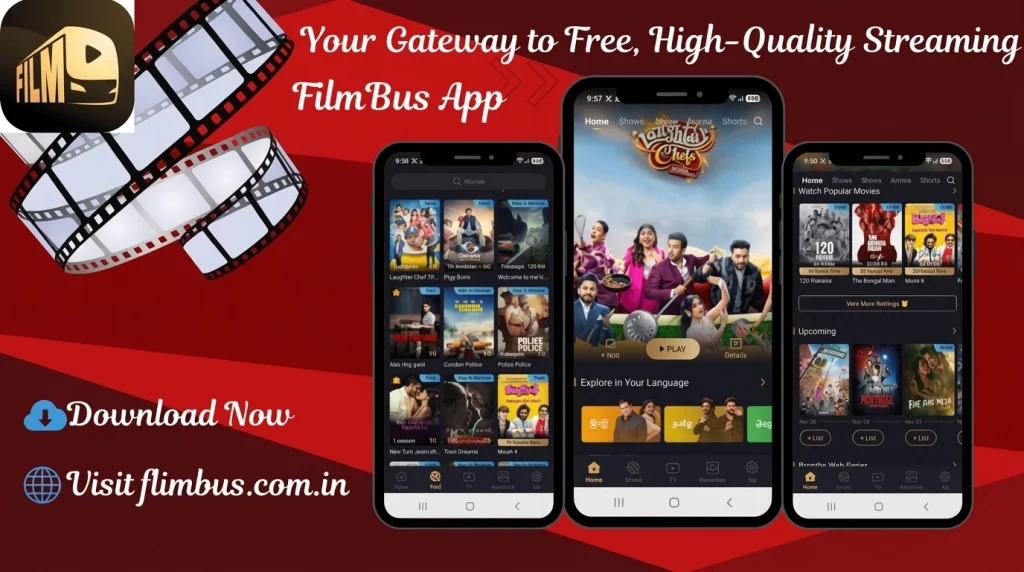
Can You Use Flimbus Online?
Users searching for Flimbus online may want to access the service through a web browser instead of installing an application. However, a browser-based version should not be assumed to exist.
Check whether the developer provides a genuine web version or an official website with access instructions. Be careful with pages that imitate the app or ask you to enter personal details without a clear reason.
If no verified browser version is available, do not download files from unrelated websites simply because they promise instant online access.
How to Download and Install Flimbus
Before installing an APK, verify the source and confirm that the file belongs to the application you want.
Step 1: Check Device Requirements
Review your Android version, available storage, and any requirements provided by the developer. This can help prevent compatibility problems.
Step 2: Find a Trustworthy Source
Prefer a verified developer source or a reputable app distribution platform. Avoid suspicious download pages, misleading advertisements, and files that require unrelated software.
Step 3: Download the APK File
If a trustworthy source provides the APK, download the correct file for your device. Check the filename and version information before proceeding.
Step 4: Review Installation Permissions
Android may ask you to allow installation from the source you used. Only enable this permission when necessary for a file you trust. The setting name and location can vary between Android versions.
Step 5: Install and Open the App
Open the downloaded file and follow the on-screen instructions. If Android displays a security warning, do not ignore it automatically. Investigate the warning and stop if the file cannot be verified.
After installation, review the app’s permissions and avoid granting access that is not reasonably required.
Flimbus Latest Version and Updates
Keeping an application updated can help address compatibility issues and known bugs. However, a version number should only be described as the latest when it has been verified through a reliable source.
Before updating, check the release date, version number, and any available change notes. Make sure the update comes from a trustworthy source and is compatible with your device.
Avoid installing older versions simply because a website describes them as popular. Older releases may lack fixes or may not work with your current Android version.
Is Flimbus APK Safe to Use?
No APK file should be considered completely safe simply because a website recommends it. The level of risk depends on the file, its source, the permissions it requests, and how it handles user information.
Use these precautions before installing an application:
- Download files only from sources you can reasonably trust.
- Scan downloaded files with reputable security software when possible.
- Review Android security warnings carefully.
- Check whether the requested permissions match the app’s purpose.
- Avoid providing passwords or sensitive information without a clear need.
- Keep your operating system and security tools updated.
Also, do not assume that content offered through an application is licensed in every region. Check the relevant service terms and local requirements before using it.
Common Flimbus Problems and Solutions
Flimbus Is Not Installing
Check whether your device has enough free storage and meets the app’s requirements. A damaged download or incompatible file can also cause installation errors. If you cannot verify the APK, do not keep trying to install it.
Flimbus Is Not Opening
Restart your device and check whether an update is available from a trustworthy source. If the problem continues, the application may be incompatible with your operating system or may have a technical issue.
Buffering or Playback Problems
If the application supports streaming, check your internet connection first. Try a stable network and close other apps using substantial bandwidth. Playback issues can also come from the service or the content source.
Download or Update Errors
Confirm that the file comes from a reliable source and matches your device. Avoid downloading multiple versions from unknown websites to solve the problem.
Flimbus Compared With Other Streaming Apps
Before choosing an entertainment application, compare its verified features with other available services. Consider device compatibility, content availability, video quality, privacy practices, and any subscription costs.
Established streaming services may provide clearer information about licensing, supported devices, customer support, and account security. Other applications may offer different features, but their claims should be checked carefully.
The right choice depends on your needs and the services available in your region. Avoid making a decision based only on promises of free access, premium content, or unlimited streaming.

Flimbus Alternatives
If Flimbus does not meet your requirements or is unavailable on your device, consider established entertainment platforms that support your preferred content and operating system.
Before choosing an alternative, check its official listing, available subscription plans, supported devices, and regional availability. You should also review its privacy policy and content catalogue.
Choosing a service with transparent information can make it easier to understand what you are installing and what to expect from it.
Frequently Asked Questions About Flimbus
1. What Is Flimbus?
Flimbus is a name users search for when looking for information about an entertainment application. Its exact functions should be confirmed through reliable app information.
2. What Can You Do With the Flimbus App?
Available functions depend on the specific version. Check the app’s verified description to learn which features it provides.
3. Is Flimbus Available for Android?
Availability should be confirmed through a trustworthy source that identifies the correct application and its Android requirements.
4. Does Flimbus Support Android TV?
TV compatibility depends on the particular app version. Check the developer’s documentation before installing it on a television.
5. Can Flimbus Be Used Online?
A browser version should not be assumed. Verify whether the developer provides a genuine online service.
6. How Do You Install Flimbus?
Check the device requirements, obtain the APK from a trustworthy source, review security warnings, and follow Android’s installation instructions.
7. How Can You Check the Latest Flimbus Version?
Look for reliable release information and compare the version number and date before installing an update.
8. Is the Flimbus APK Safe to Install?
Safety cannot be guaranteed without checking the file and its source. Review permissions, scan the file where possible, and take security warnings seriously.
9. Why Might Flimbus Fail to Open?
Possible reasons include compatibility issues, a damaged installation file, or an application error. Check the requirements and verify the installation source.
10. How Can You Fix Flimbus Buffering Problems?
If streaming is supported, check your internet connection, reduce network usage, and confirm whether the issue affects other services.
11. Does Flimbus Require an Account?
Account requirements depend on the specific application. Check its verified information before providing personal details.
12. What Should You Do if a Flimbus Feature Is Unavailable?
Confirm that the feature is supported in your version and region. If it is not documented, do not assume that it should be available.
Conclusion
Flimbus is a search term that brings users looking for app information, compatibility guidance, and installation help. Before installing an APK, confirm the application’s identity, check the device requirements, and use a trustworthy source. Reviewing permissions and security warnings can also help reduce unnecessary risks. If you experience installation or playback problems, use the troubleshooting steps in this guide and consult reliable developer information when available. Taking these precautions will help you make a more informed decision about whether the application suits your device and needs.